
- by Arthur "Arturis" Orneck
- Posted on July 9, 2012 @ 1:00 PST

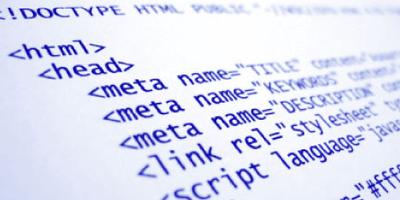
Its time for an HTML Primer! Whether this is fresh material or age old review, it doesn't hurt to make sure we are all talking about the same thing. And that thing-of-the-moment is HTML, or Hyper Text Markup Language. Much how French is the language of love, HTML is the language of the World Wide Web, and the common verbiage that all the various web browsers translate for us into pretty layouts and colors and gradients and such.
Don't believe me? Go to pretty much any website, Right Click anywhere on the background of it and select View Source. Unless you happen to be on a particularly Flash or Silverlight heavy site, the odds are you will be greeted with a big block of plain black & white text peppered with lots of "<"s and ">"s. Welcome to the world of HTML source! Now the real question... what the hell does it mean? Time to go over the basics!
While every site differs, the basic, over all structure of an HTML page looks a bit like this:
<html>
	<head>
		<title>This is a fake page!</title>
	</head>
	<body>
		<div id="mainDiv">
			<p>
				This is a block of text! It means nothing!<br/>
				Nothing I say!
			</p>
		</div>
	</body>
</html>
Its a fairly loose structure, and HTML is a fairly forgiving language, but for quick primer, this will certainly do.
Taking a quick look over the above source, you will notice several words surrounded by angle brackets. Each of those bracketed keywords are called Tags. You will notice that some tags are paired up with "closing tags", such as <html> and </html>, while others are "self closing", such as <br/>. The main difference between the two is whether they need to contain other tags or not.
Now lets take a look at the specific tags and see what they do.
<html>
The html tag declares that we are doing with an HTML document, and basically "contains" the rest of the structure.
<head>
The head tag declares the "header" section of the page. Information in this section is meant for the browser, not the person viewing the page. In fact, aside from one or two particular tags, most of the information in the header area is never seen.
<title>
...and this is one of those special cases I just mentioned. The title tag tells the browser what to show as the title of the document - usually this is displayed on the tab in a tab capable browser, or along the top of the window in a non-tabbed browser.
<body>
The body tag declares the section of the HTML document that should be shown in the main window, or tab, of the browser. This is where the majority of our HTML code (also referred to as "markup") resides.
<div>
Okay, now we are getting to the interesting tags. A div, or division, is a physical section of website space. Divs are used extensively for layout. In my example I only have one div, but in actuality a well built page could contain a plethora of divs, some floating against each other, some positioned in particular places, some even inside of over divs. Divs are a powerful layout tool when used properly - we will definitely be getting back to them in a future post. But for now, just know that they are containers for laying out other tags and you should be golden.
<p>
The p tag is short for paragraph tag, and its used to delineate paragraphs of text. In the Blogomancer Engine (the engine that runs the blog site you are currently reading) I make use of p tags in order to count paragraphs for the "Jump After" feature. If a post is set to "Jump After Paragraph 3", for example, then it will count three closing </p> tags to display on the front page, followed by a "Read more..." link, so that we don't have entire articles cluttering up the front page. If your entire article is showing on the front page, that means something is wrong with your p tags, and you better check your Source!
<br>
The br tag represents a line break, similar to pressing the "enter" key in a word processor or "carriage return" on an old keyboard. It forces the current line of text to end, and whatever follows starts the next line. While there are definitely times when a br is required, more times than not its better to end the paragraph with a </p> and start the next one with a fresh <p> tag.
While there are a ton more basic HTML tags we could go over, this is the core set you should be familiar before we go any further in the world of ColdFusion, as well as if you are writing blog posts in the Blogomancer Enging. The built-in editor does a great job in using the proper tag on your behalf, but sometimes you will find that you need to edit the Source in order to get it to present exactly how you want it. We will address a few more tags, such as <ul>,<li>,<span> and <img> in a future post.


-
Arthur "Arturis" Orneck
Managing Editor
email



The Blogomancer Engine is built/maintained by:

The Blogomancer Engine exists thanks to the following products and services:



- CF_101: What is ColdFusion anyway?
- [true] A brief intro to ColdFusion and what it does.
- SQL_101: Prequel to the SQL
- [true] Dynamic doesnt mean much without data to drive it, and when we deal with data, most often we deal with SQL
